A class can be shared with other people on your teaching team. Open the class and use the Teaching team section to add them.
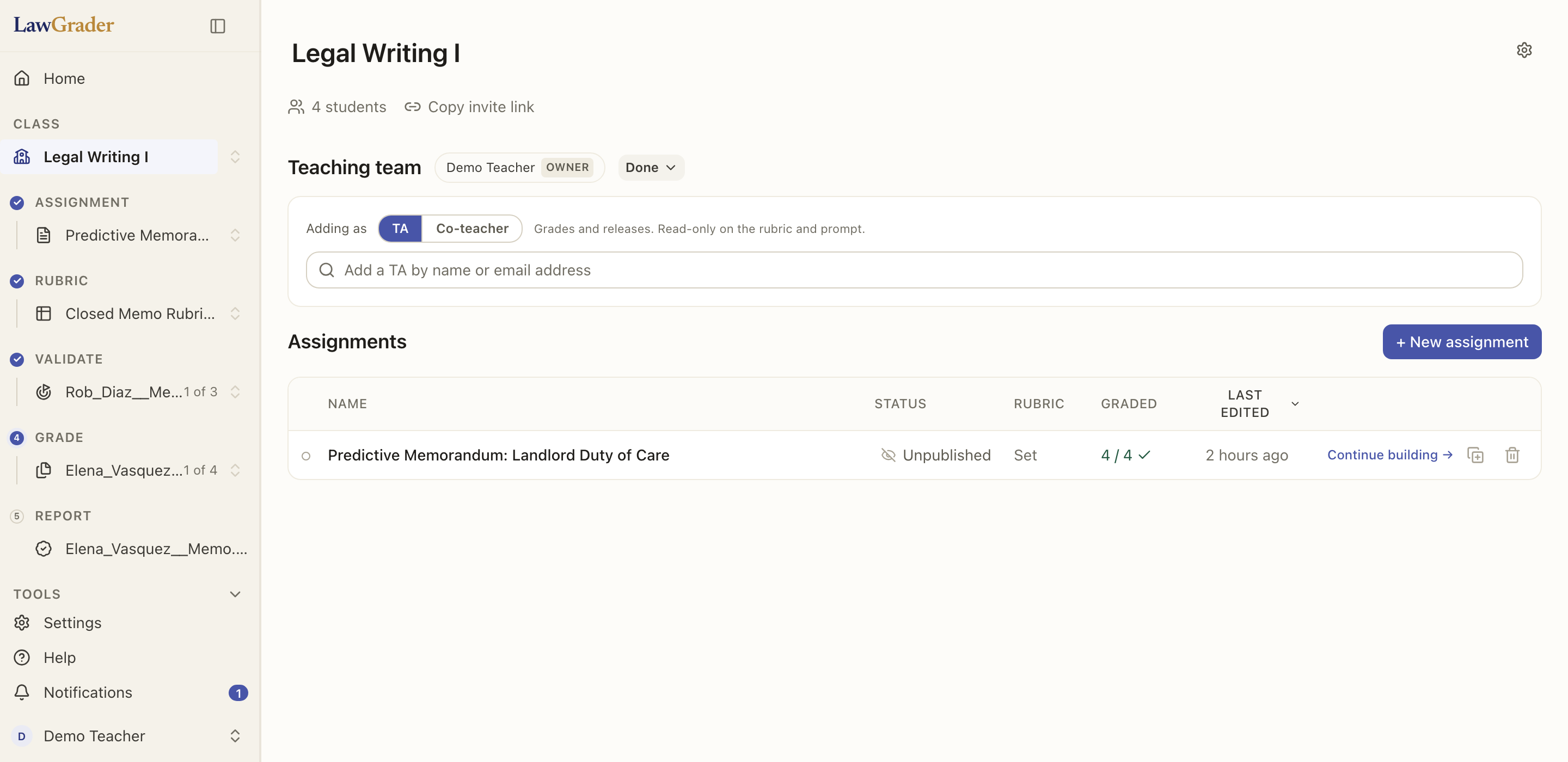
Two roles
- Co-teacher has full access, the same as you: build assignments, edit rubrics, grade, and release.
- TA can grade and release, but rubrics are read-only for them. This lets a TA do the grading work without changing how the assignment is defined.
Pick the role first, then search. Everyone you add in that pass gets that role.
To change someone's role later, open Manage and choose Make co-teacher or Make TA beside their name. You can't change your own role.
Adding someone
Type a name or an email address in Teaching team, then choose them from the list.
- A name searches your school. The list shows each person's email address underneath, which is how you tell two colleagues with the same name apart.
- A full email address reaches somebody your school cannot see yet. Adding them puts them in your school as well as on this class, and emails them. If they do not have an account, one is created for them and the email tells them how to sign in.
Either way they are told: somebody who already has an account gets a notification, and somebody new gets an email with the way in.
Who sees what
Everyone on the team sees the class's assignments and submissions. Removing someone from the team revokes their access to the class.