Releasing is deliberately its own step, after grading, so a grade only reaches a student when you mean it to.
Review the whole class first
Before releasing, you see the class as a whole: the distribution of scores, anything that looks borderline, and anything still waiting for review. This is the moment to catch outliers and make final adjustments.
Adjust or curve
If you need to, you can adjust individual grades or apply a curve across the class before anything goes out. What students see is exactly what you release, never a work-in-progress.
Comments and rewrites that are held back
Only comments whose eye is open reach the student, and a suggested rewrite is a comment like any other. The release control tells you how many are being held back, and Show walks you to each one, so nothing you meant to send stays hidden by accident. See Marking up a paper.
What a student receives
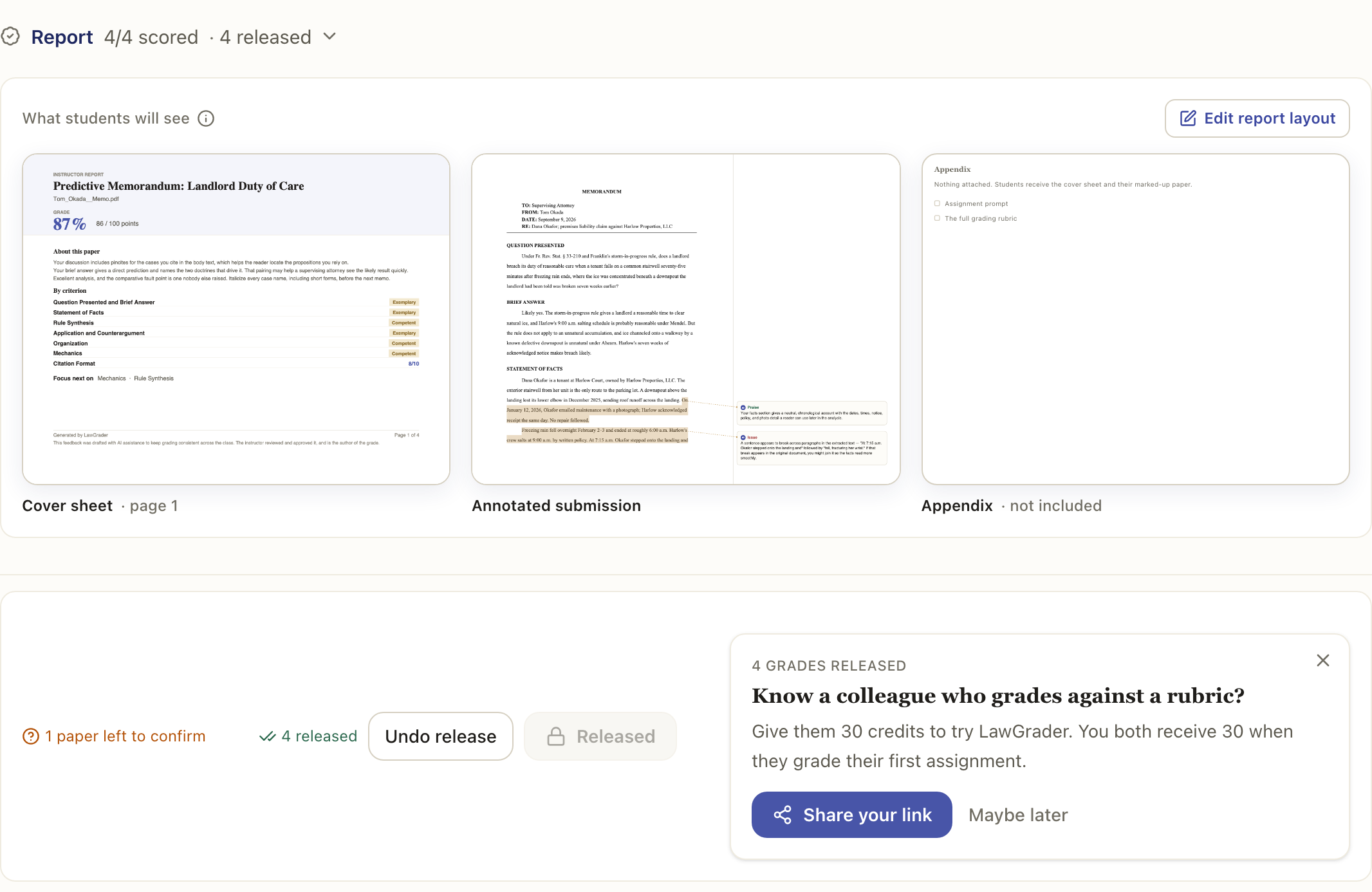
When you release, each student gets their grade and a marked-up report PDF: their work with the rubric, the scores, and the feedback. If your class is connected to an LMS, the grade and the report are pushed back there too.
A student who handed in a Word file gets a second download as well: their own document back, with your suggested rewrites as tracked changes and your released comments in Word's review pane. The PDF is the picture of your feedback; the Word file is the feedback they can act on. Only what you released appears in either.
Confirm before you release
A grade only goes out once you have confirmed it. The assistant proposes a score; confirming is where it becomes yours, and releasing is where it reaches the student, so a paper you have not looked at cannot go out by accident. Releasing the class skips anything unconfirmed and tells you how many it left behind, and releasing a single paper asks you to confirm it first.
When a grade is held back
A paper the assistant could not finish reading will not release either. If some criteria came back unscored, the paper shows as Incomplete, and releasing the class skips it and tells you how many were held back. The rest of the class still goes out. Open a held-back paper, score the criteria marked as not assessed, and it releases like any other.
This is deliberate. A grade missing part of your rubric has no honest overall number, so rather than sending an unfinished one it waits for you.
Undo
Released something too early? You can un-release it, which pulls it back from the student view, so you can fix it and release again.
If the assignment is connected to an LMS, un-releasing also undoes the push. Where the gradebook already held a mark before you released, that mark comes back rather than the cell being emptied, which matters on a past course you imported: your earlier grades are what was there, and they are what you get back. A grade a colleague has changed in the LMS since you released is left alone.
On a Canvas assignment, the panel says Taking back from Canvas while the undo runs, then confirms that the grade and the report PDF were removed.
If a grade has not reached your LMS yet
A released paper that has not made it to the gradebook shows a small cloud icon in the Status column, and the tooltip says so. Most of the time it clears itself within a few minutes. If it stays, release that paper again. If it turns amber, the push failed for a reason worth reading: hover it.