Grading one paper at a time is how you validate the grader. Once you are confident, you can grade the whole class in a single pass and then review, instead of opening each paper yourself.
When to use it
Bulk grading is available as soon as the assignment has a rubric. It is worth validating the grader against your grading first, so the class is graded closer to your standard.
Running it
The button above the submission list says what it will do, and the number on it is how many papers it sends. With nothing selected it reads Grade N ungraded and grades every paper that has not been graded yet. Tick some rows first and it reads Grade N selected and grades only those.
Grade only fills in papers with no grade. Re-grade grades again every paper it names: the button says Re-grade N selected when your ticked rows include a graded paper, Re-grade all N when every paper is graded, and the caret beside the button offers Re-grade all N otherwise. When a re-grade would replace scores you set yourself, it asks once first. Comments you wrote or edited stay, and any confirm is withdrawn so you can review the new grades. A paper someone else on your teaching team is grading right now is left alone, and a note names who has it.
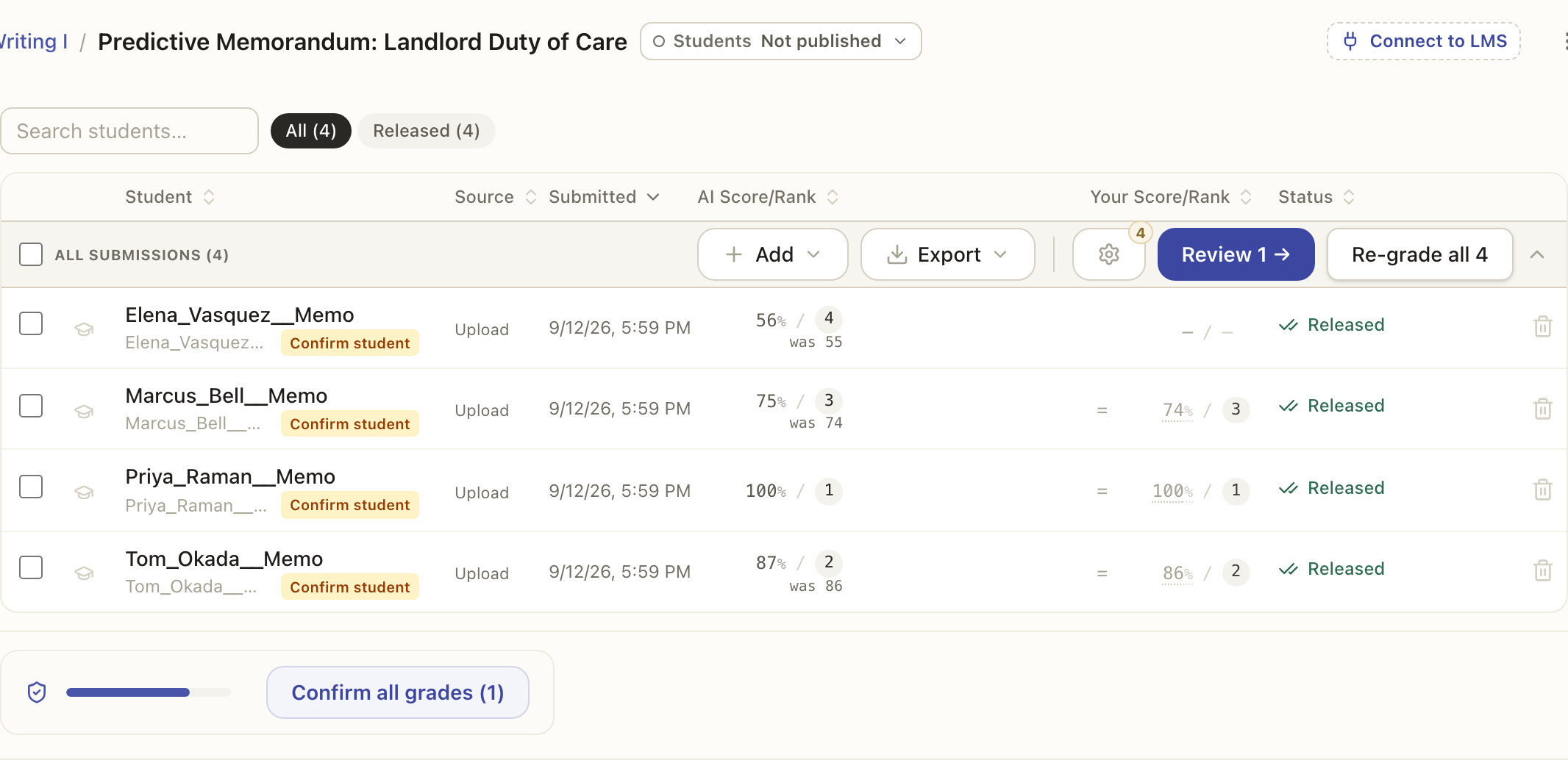
Either way the whole set is graded together in one run: every paper is graded at the same time, so a full stack finishes much faster than opening and grading each one on its own. You can watch its progress, and stop it if you need to.
You will see one confirmation before the run starts, and only when there is something to say: how many papers it uses, or what is still unvalidated. Tick Don't ask again on it and future runs start on the click, and you can turn the confirmation back on in Settings, under Grading. A run that needs more papers than your plan has left does not start: it says how many you have and how many the run needs, so you can refill first. Re-grading a paper you were already charged for costs nothing.
You still decide
Bulk grading proposes scores for the whole class at once, but it does not release anything. When it finishes, you review the results, adjust anything that needs it, and only then release. Grading at scale and releasing are still separate steps, so nothing reaches a student until you say so.