"Assistant" means slightly different things in different places, because each one is scoped to the job in front of you. There are three, and none of them changes a grade on its own.
The help assistant, on every page
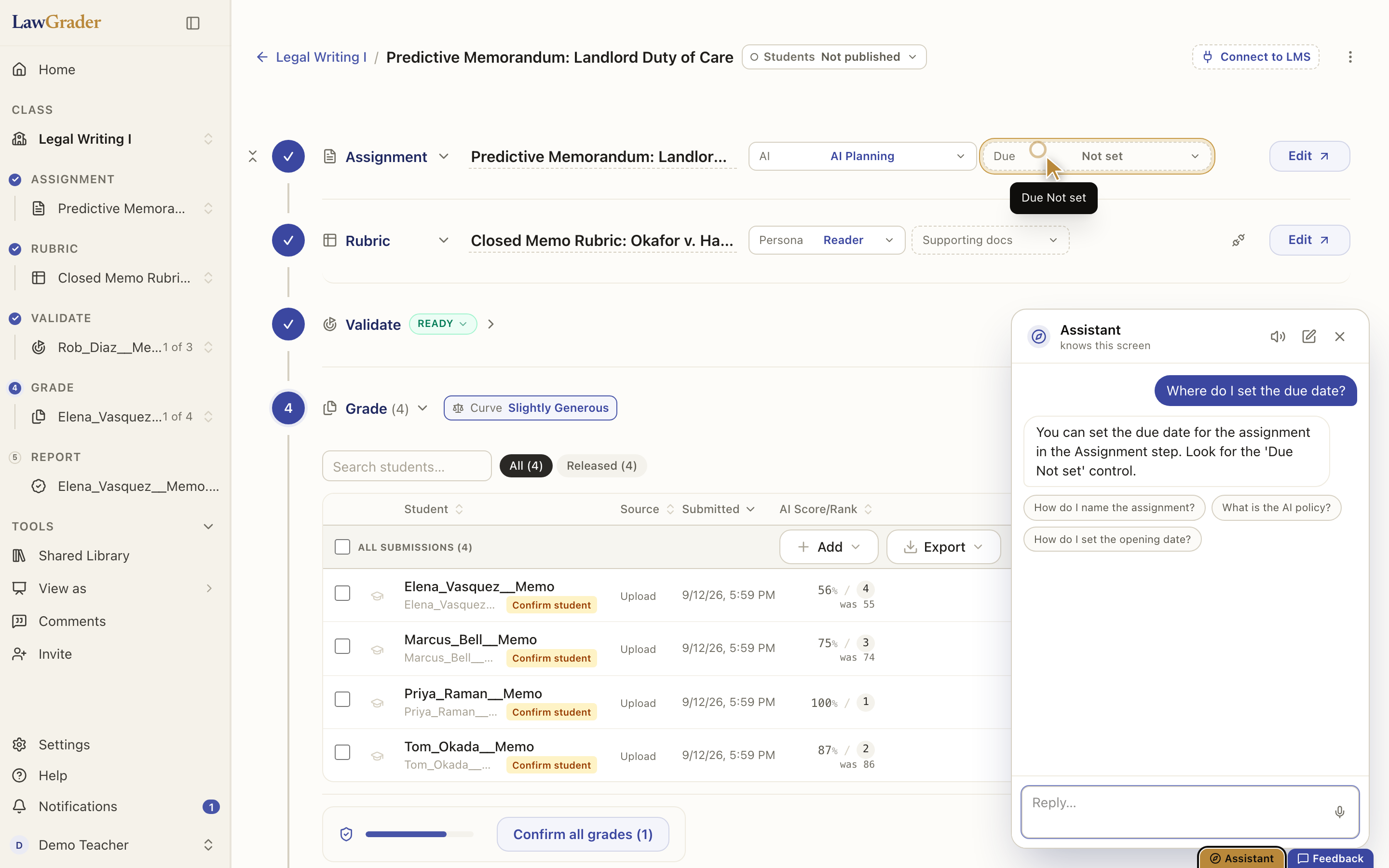
The brass Assistant pill in the bottom-right corner (also Ask the assistant in the Help menu) opens a panel that knows what screen you are on and what is on it. Ask it "where do I set the due date?" and it answers, then travels to the real control and points at it; Take me there does the same on another screen. It is for orientation: what a step does, where a control lives, what a status means.
If it cannot solve the problem (a bug, something stuck, or you simply want a person), it offers to hand the conversation to the team. Choose that and a support thread opens with the transcript already in it, and someone replies in the app. See Getting help and reporting problems.
The grading assistant, on one paper
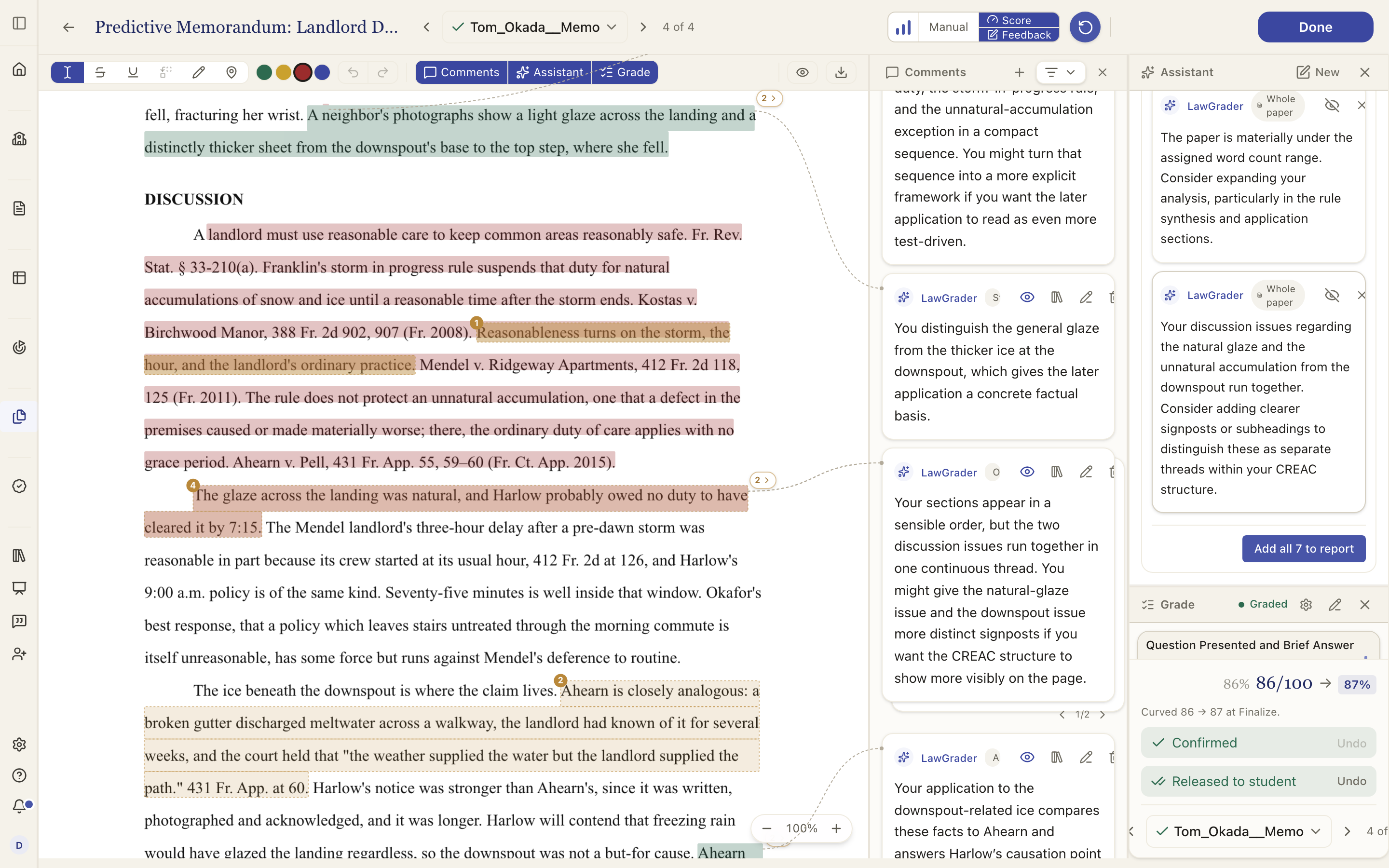
Open a paper and the Assistant toggle in the toolbar opens a chat scoped to that submission. It has read the assignment, the AI-use policy, the whole rubric, the comments already on the page and the paper itself, so you can interrogate the work: "did they address the counterargument?", "is the citation in paragraph three in the right form?", "where does the thesis actually appear?".
Ask it to draft feedback and it answers in prose first. Under the reply, Turn into comment(s) hands that prose to a second pass that resolves it into comment cards in the rail, each anchored to the passage it is about (or marked Whole paper). Every draft starts hidden from the student. Click a card's eye to add it to the paper as a real comment, or Add all N to report to take the lot; dismiss the ones you do not want with their ×. Nothing lands until you click. See Marking up a paper.
This chat is ephemeral, one paper at a time. Start a new assistant chat clears it.
The builder assistants
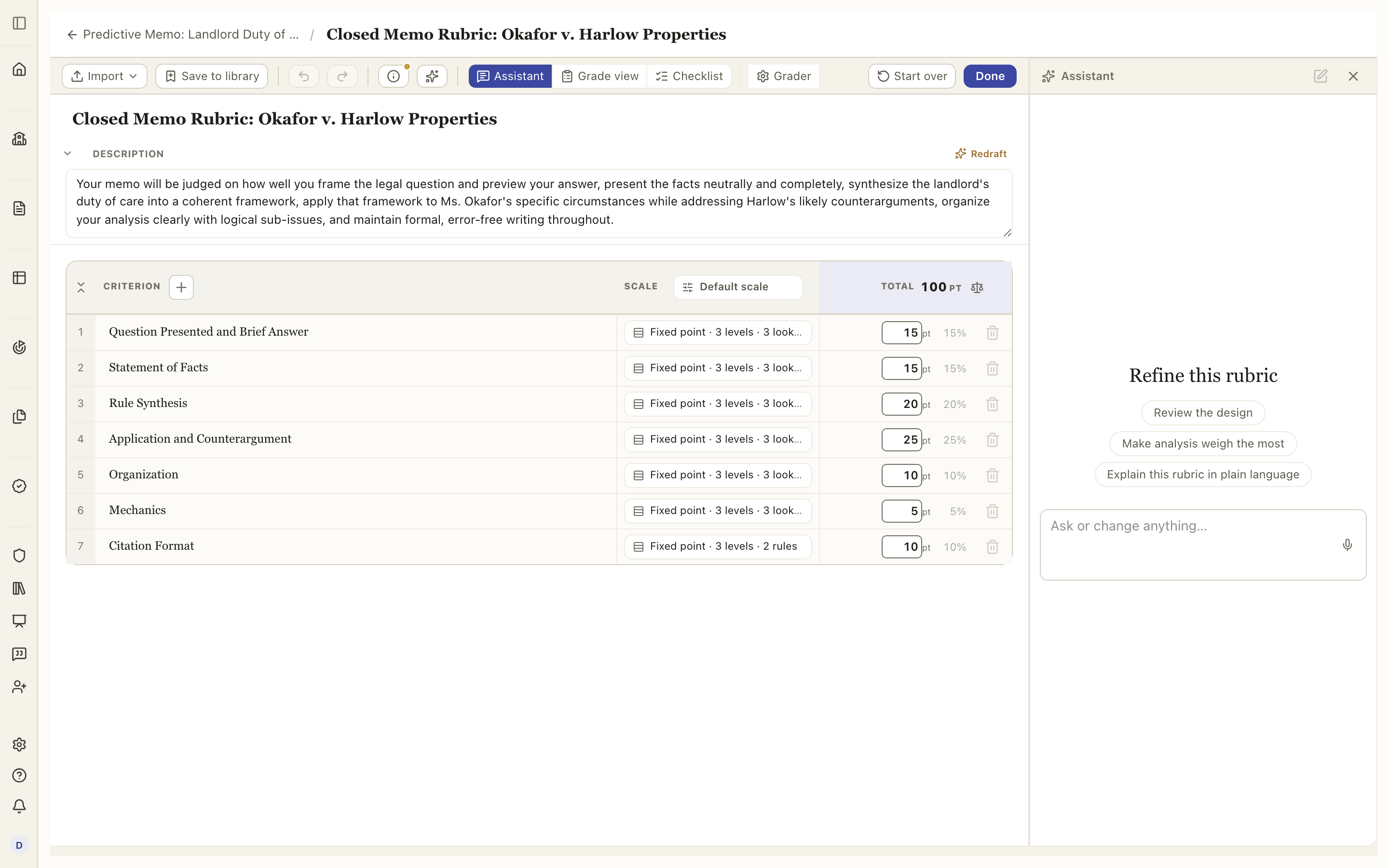
The assignment builder and the rubric builder each have an Assistant panel of their own that edits the document with you: "tighten the instructions", "make analysis weigh the most", "add a criterion for sourcing". They are the same kind of panel in the same place, the right-hand side, and each opens with a few chips that suit its document (the rubric's includes Review the design). Those are described in Building an assignment and Building a rubric.
Which assistant knows what
- The help assistant knows the screen and its controls, and the Help Center. It does not read student work.
- The grading assistant knows one paper, its rubric, its comments and the assignment. It does not know the rest of the class.
- The builder assistants know the document open in front of them and, for the rubric, the assignment it belongs to.
None of them shares what it reads with another teacher, and all of them stop at a draft.
Talking instead of typing
Every assistant composer has a microphone. Tap it and speak; tap again to stop, and your words land in the box for you to edit before sending.
- In the help assistant and the problem report form, the recording is transcribed on our side, so it works in every browser. Replies from the help assistant can also be read aloud: the speaker in its header switches Read replies aloud on, and mutes it again when you are done.
- In the grading and builder assistants, dictation uses your browser's own speech recognition, so it appears where the browser supports it (Chrome, Edge and Safari do) and is absent where it does not.
Either way the microphone needs a secure connection and your permission the first time; if the browser blocked it, allow the microphone for this site and try again. Nothing is recorded until you tap the mic, and the audio is used only to produce the text you see.
What the assistant will not do
It will not change a score, release a paper, or send anything to a student. It drafts, explains and points; you decide. When it drafts comments, they arrive hidden and stay hidden until you add them. See How LawGrader uses AI.